Computer comes on then shuts off
Power LED and fans spin for a moment, then everything dies — often before Windows loads. This is an early power/POST protection problem, not the same as a random mid-session shutdown.
Step 1 — Minimal boot hardware
- Unplug AC. Hold the case power button 10 seconds.
- Disconnect non-essential USB devices, extra drives, and the discrete GPU if you have motherboard video output.
- Attempt power-on and watch motherboard debug LEDs or beep codes if present.
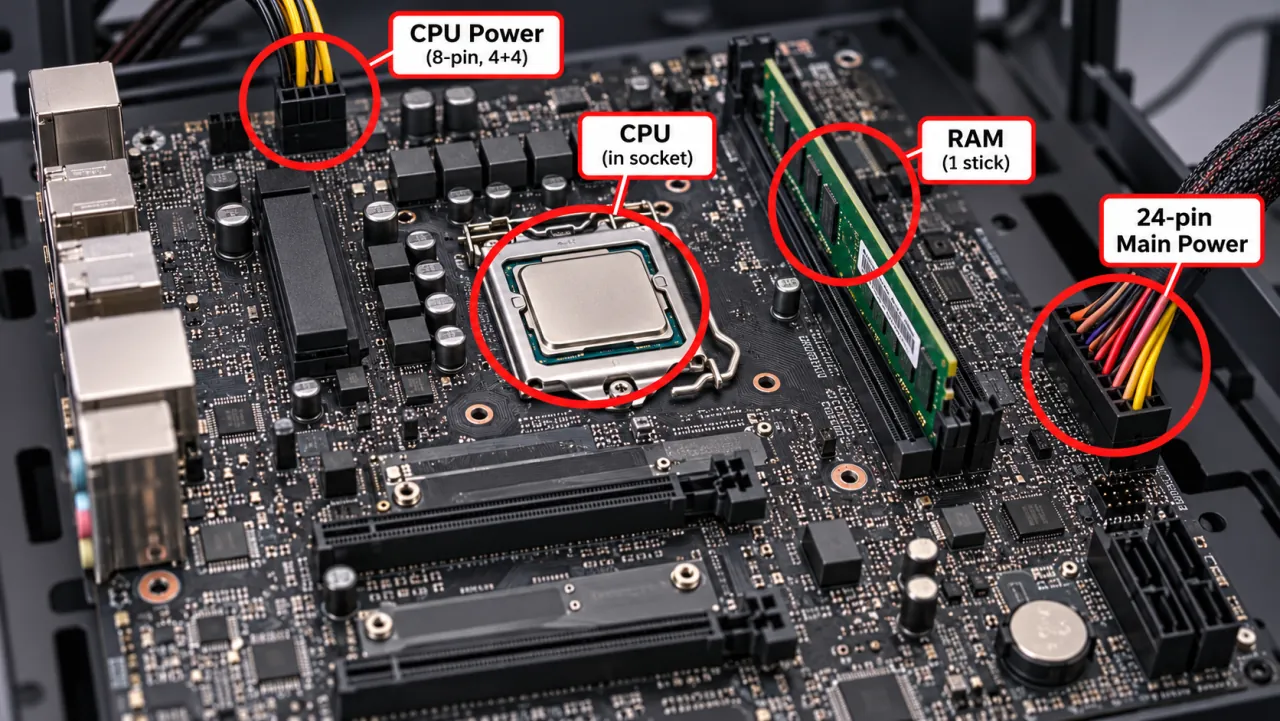
Step 2 — CPU power and PSU
- Confirm the CPU EPS 4/8-pin (and any required additional CPU power) is fully seated.
- Try a known-good PSU — protection trips can kill power in under a second (PSU page).
Step 3 — RAM and GPU isolation
- Boot with one verified RAM stick in the slot recommended by the motherboard manual.
- Reseat or remove the discrete GPU; use onboard video if available.
- Clear CMOS per the motherboard manual if a failed overclock or bad settings is possible.
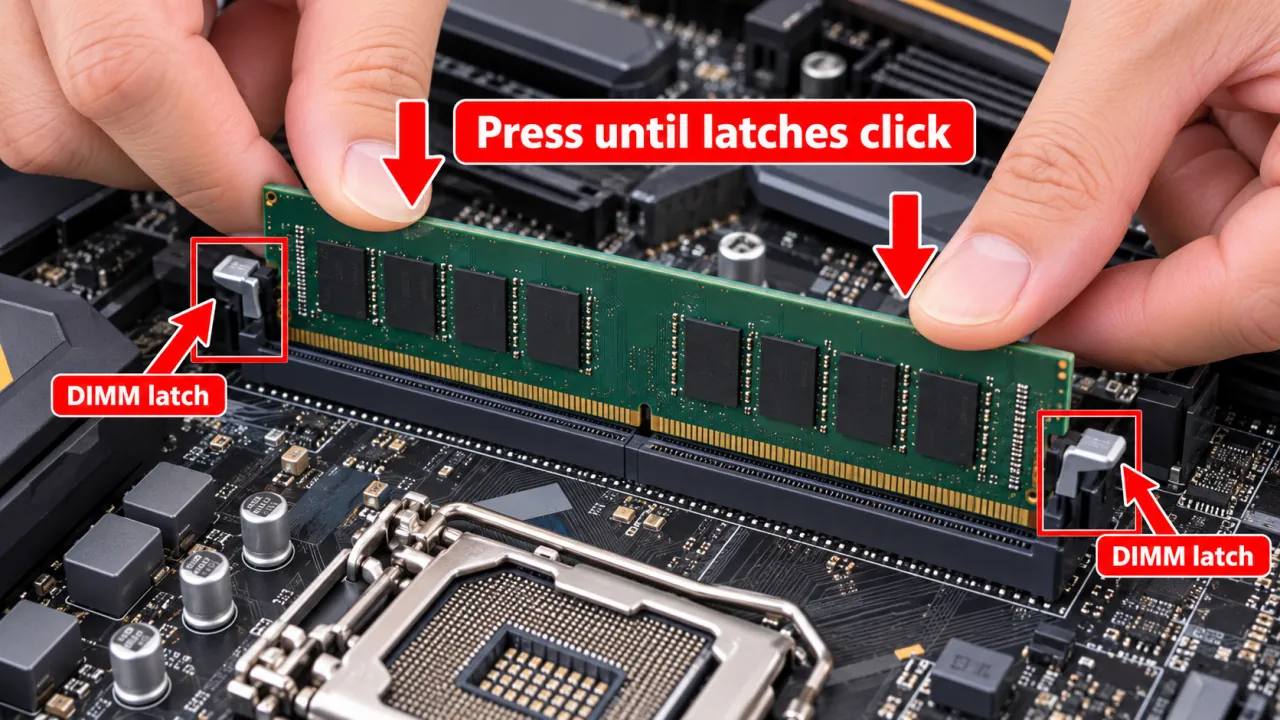
Step 4 — Board / short checks
Look for standoff shorts, bent pins, or liquid damage. If the board never holds power with a known-good PSU and minimal parts, stop and use OEM RMA/service.
Symptom map
- PC shuts down randomly (start here)
- Check Event Viewer for Kernel-Power 41
- Overheating and thermal shutdown
- Shuts off but not overheating
- Shuts down while gaming
- Power supply keeps shutting off
- Laptop turns off without warning
- Shuts down and restarts
- Turns on then immediately shuts off
- Monitor turns off but PC stays on
- PC will not shut down
- Shut down because of a problem
FAQ
Why does my computer turn on but then immediately shut off?
Power-protection trips, missing CPU power, RAM not detected, or a shorted component commonly cause sub-second shutdowns during POST.
How to fix a computer that turns on and then off?
Minimal hardware boot, reseat CPU power, test PSU, isolate RAM/GPU. There is no software setting if Windows never starts.
Why does my laptop keep turning off as soon as I turn it on?
Try OEM charger and battery isolation steps on the laptop page, then OEM diagnostics.
Official and primary sources
- Intel — Why won’t my computer turn on? (includes power-on-then-off)
- Microsoft Answers — PC switching off after I turn it on
- NZXT — PC randomly shuts down (power delivery context)
- Microsoft Learn — Event ID 41 (only after Windows can boot)
Independent DIY troubleshooting. We do not sell one-click fix tools or host driver packs. Prefer your motherboard manual for DIMM order and front-panel pins.