Laptop suddenly turns off without warning
Notebooks add battery, lid sensors, and cramped cooling to the usual Windows unclean-shutdown story. Confirm whether the issue is on battery only, on AC only, or both — then use Event Viewer when Windows boots again.
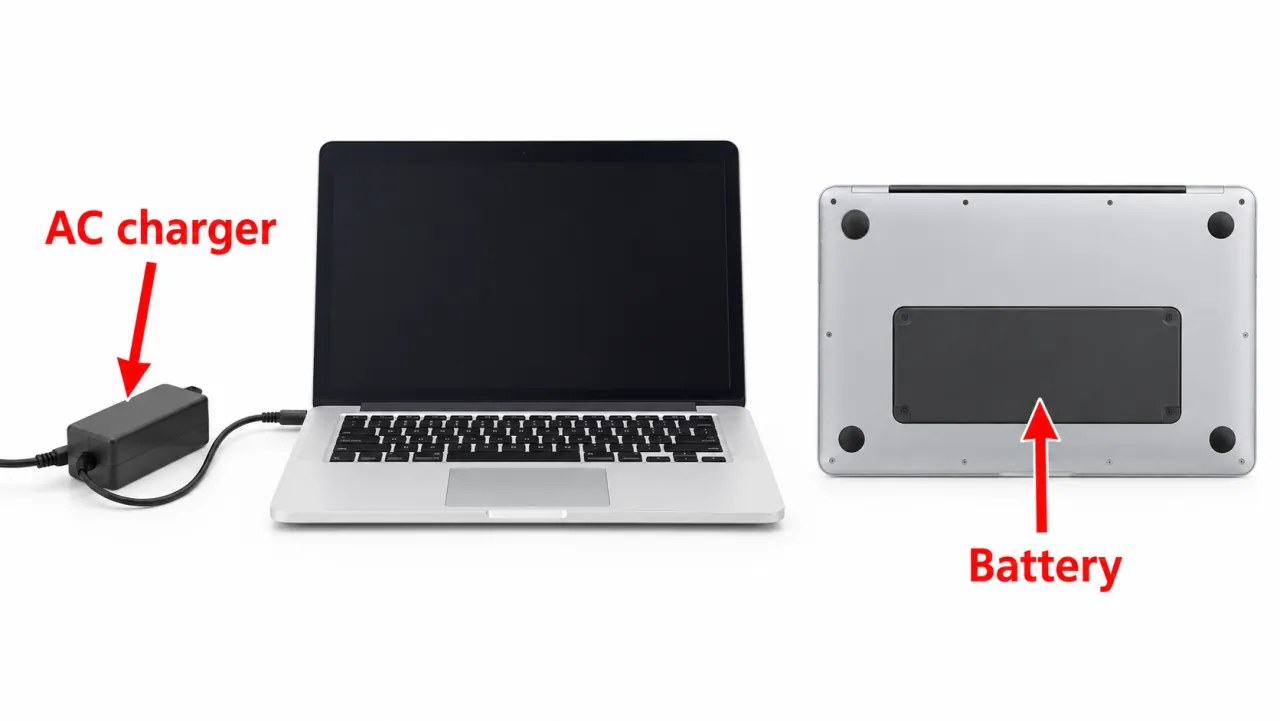
Step 1 — Split AC vs battery
- Reproduce on AC with battery removed only if your OEM design allows user removal.
- Reproduce on battery with AC unplugged.
- Try a known-good OEM-rated charger (correct voltage/amperage).
Step 2 — Laptop thermal path
- Use a hard, flat desk. Soft bedding and cushions block intake vents and can trigger thermal cutoffs.
- Clear intake and exhaust; clean dust with short bursts of compressed air per your OEM guidance.
- Watch for fan spin at power-on. A silent machine that then dies under load often needs OEM fan diagnostics.
- If shutdowns track heat, continue on overheating and your OEM thermal article (for Dell models, start with vents/cleaning before advanced procedures).
Stay on the thermal path.
Skip deeper paste work — go to power/adapter and Event Viewer next.
Step 3 — BIOS/UEFI and OEM diagnostics
- Run the built-in hardware diagnostics from your OEM (Dell F12 diagnostics, HP/Lenovo/ASUS equivalents).
- Note any fan, battery, or thermal error codes the tool reports.
- Install BIOS/UEFI only from the OEM support site for your exact model Service Tag / serial — never from third-party “BIOS packs.”
Step 4 — Windows log cut and next branch
When Windows starts, use Event Viewer Kernel-Power 41. Cool random offs on AC may still be adapter or board power. For game-only load on a gaming laptop, also follow while gaming. If the panel goes black while fans keep spinning, that is display-side — see monitor turns off and Microsoft’s blank-screen guide.
Symptom map
- PC shuts down randomly (start here)
- Check Event Viewer for Kernel-Power 41
- Overheating and thermal shutdown
- Shuts off but not overheating
- Shuts down while gaming
- Power supply keeps shutting off
- Laptop turns off without warning
- Shuts down and restarts
- Turns on then immediately shuts off
- Monitor turns off but PC stays on
- PC will not shut down
- Shut down because of a problem
FAQ
Why is my laptop turning off by itself randomly?
Battery protection, thermal limits, a failing adapter, or a hard hang can all cut power. Split AC vs battery, check heat, then read Event Viewer.
Why does my laptop suddenly shut down without warning?
Notebooks often skip a blue screen when embedded controllers cut power. Confirm heat and power source first.
How to find the cause of an unexpected shutdown?
On Windows, use Event ID 41 details. On macOS, see shut down because of a problem.