How to check what caused a PC shutdown in Event Viewer
Use the Windows System log to confirm an unexpected shutdown and read Kernel-Power Event ID 41 details before you replace parts. This is the first diagnostic cut for PC shutdown randomly.
Step 1 — Open Event Viewer
- Boot Windows normally if you can.
- Press Windows + X → Event Viewer, or run
eventvwr.msc. - Expand Windows Logs and select System.
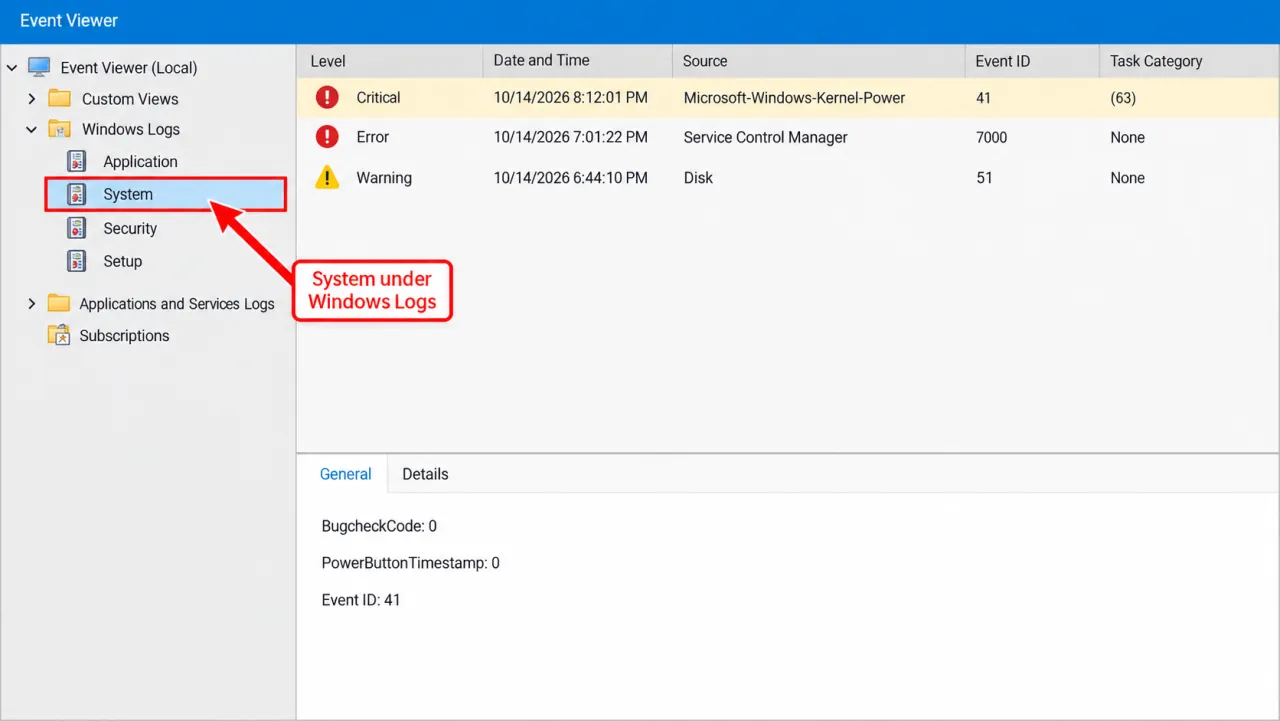
Step 2 — Find Kernel-Power 41 and Event ID 6008
- Actions → Filter Current Log.
- Check Critical (and optionally Error), or filter source
Microsoft-Windows-Kernel-Power. - Look for Event ID 41: “The system has rebooted without cleanly shutting down first…”
- Also note Event ID 6008 (previous shutdown was unexpected).
Microsoft groups Event IDs 41 and 6008 with unclean shutdowns, versus 1074 when an app or user initiated restart.
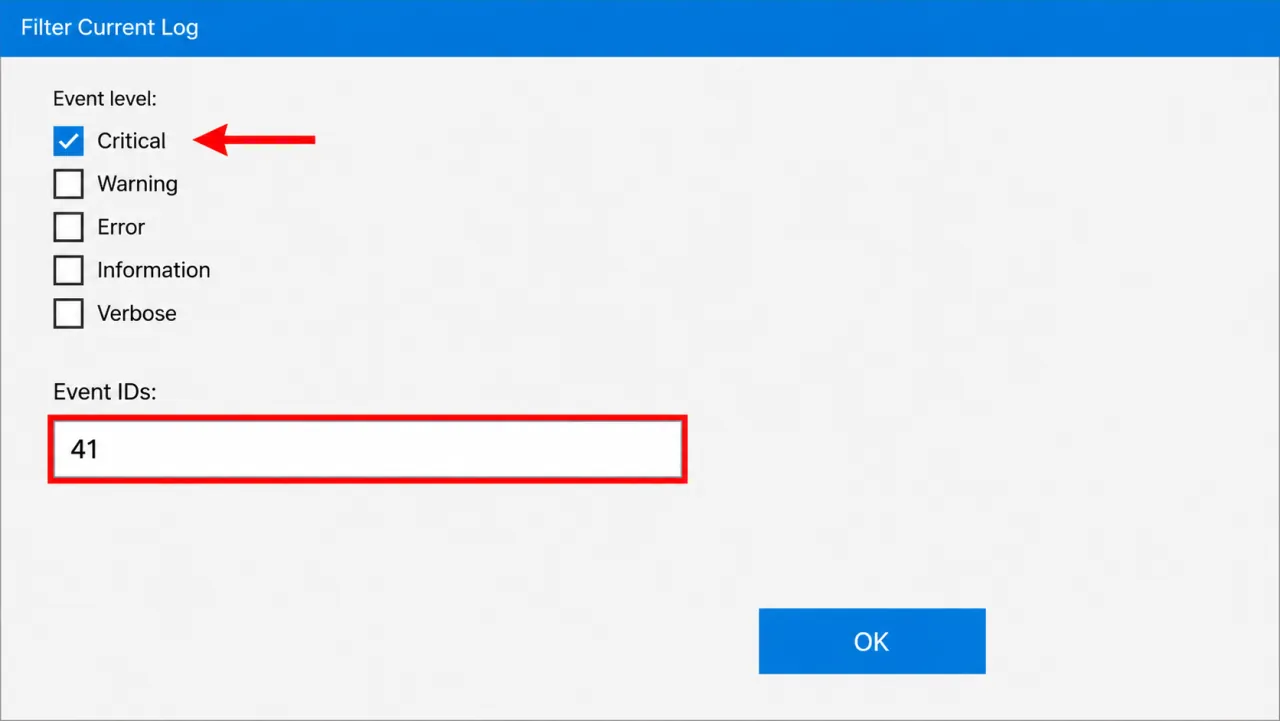
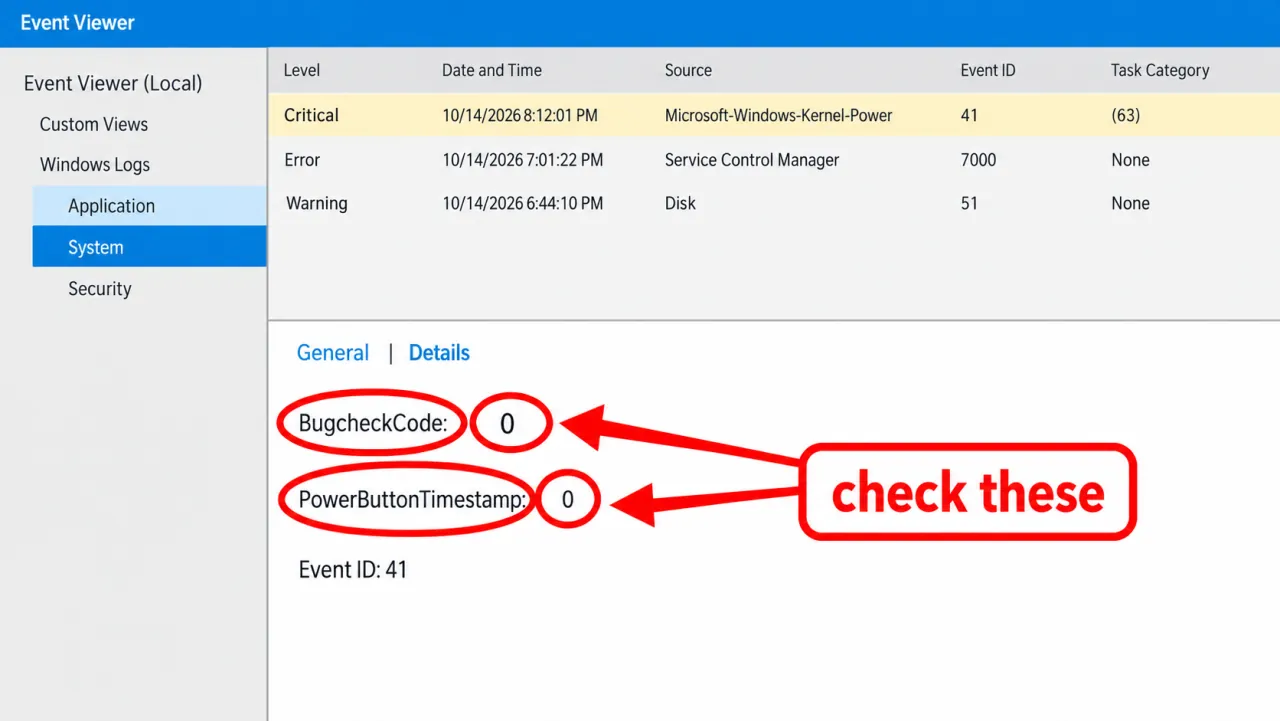
Step 3 — Read BugcheckCode and PowerButtonTimestamp
Open the Event ID 41 entry → Details. Microsoft documents:
- BugcheckCode ≠ 0 — Stop error; match with Event ID 1001 if present.
- PowerButtonTimestamp ≠ 0 — Power button held to force power off.
- Both 0 — Common when power vanished or the system hung before Windows could write codes.
Primary reference: Event ID 41 — The system has rebooted without cleanly shutting down first.
Step 4 — Correlate nearby errors
Scroll to events immediately before the 41/6008 pair: disk errors, WHEA-Logger, GPU resets, thermal events, or Event ID 1001 bugcheck text. Those clues point to branch pages — Event Viewer alone rarely names a single failed cable.
Step 5 — Choose the next troubleshooting page
Symptom map
- PC shuts down randomly (start here)
- Check Event Viewer for Kernel-Power 41
- Overheating and thermal shutdown
- Shuts off but not overheating
- Shuts down while gaming
- Power supply keeps shutting off
- Laptop turns off without warning
- Shuts down and restarts
- Turns on then immediately shuts off
- Monitor turns off but PC stays on
- PC will not shut down
- Shut down because of a problem
FAQ
How can I see why my computer shut down using Event Viewer?
Open System logs, find Kernel-Power Event ID 41, then read Details. Microsoft explains BugcheckCode and PowerButtonTimestamp in the Event ID 41 article.
Does Event ID 41 mean my PSU is bad?
No. 41 only means the shutdown was unclean. A failing PSU is one possible cause when BugcheckCode is zero and failures happen under load — see PSU.
How do I check PC shutdown history?
Filter System for Event IDs 41, 6008, 1074, and 6006. Clean shutdowns look different from 41+6008 pairs.
What if I never get Event ID 41?
Confirm you are on the System log of the affected Windows install. If the PC never boots far enough to write logs, use recovery or hardware POST diagnostics first.