PC power supply keeps shutting off
A PSU that trips under load can look like a random PC shutdown: black screen, fans stop, Kernel-Power 41 with zeros in the detail fields. Confirm cables and capacity before buying parts at random.
Step 1 — Match PSU-like symptoms
- Hard power-off under load; may need to flip the rear PSU switch or unplug AC to reset.
- No useful BugcheckCode in Event ID 41.
- Often stable at idle or light browsing.
If the PC dies within a second of pressing power every time, also read turns on then shuts off.
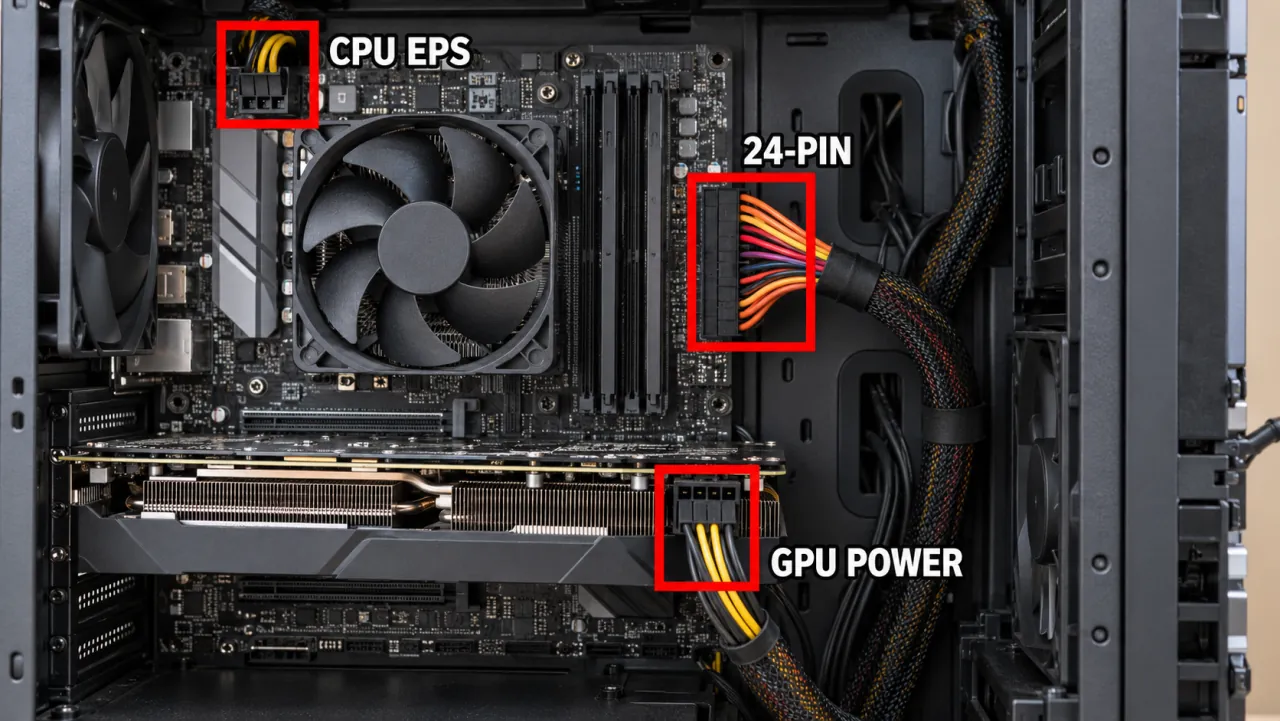
Step 2 — Cables and wall power
- Try another wall outlet; avoid weak long extension cords for high-wattage PCs.
- Reseat 24-pin, CPU, and GPU power connectors.
- Confirm modular cables match that PSU brand — modular cables are not universal.
Step 3 — Capacity and GPU load
Compare system draw to the PSU’s rated continuous wattage with headroom. Upgrading a GPU without a matching PSU is a frequent cause of game-only shutdowns — continue from while gaming.
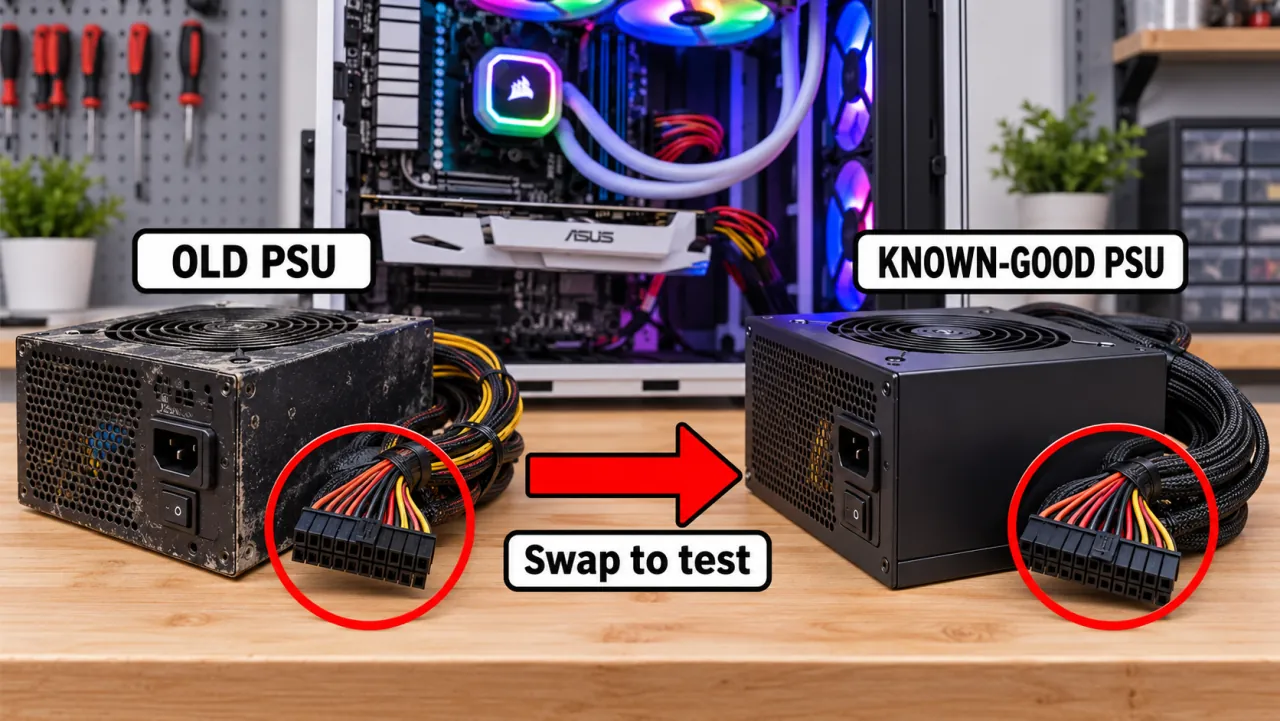
Step 4 — Known-good supply test
The reliable test is a correctly rated, known-good PSU. If shutdowns disappear, replace the original unit. If shutdowns remain, return to not overheating.
Symptom map
- PC shuts down randomly (start here)
- Check Event Viewer for Kernel-Power 41
- Overheating and thermal shutdown
- Shuts off but not overheating
- Shuts down while gaming
- Power supply keeps shutting off
- Laptop turns off without warning
- Shuts down and restarts
- Turns on then immediately shuts off
- Monitor turns off but PC stays on
- PC will not shut down
- Shut down because of a problem
FAQ
Why is my power supply randomly shutting off?
Over-current/over-power protection, failing components, or poor AC input can trip the PSU. Treat load-related hard offs as a power problem until a known-good unit proves otherwise.
How can I tell if my PSU is dying?
Trips under load, burning smell, or stability only on a replacement unit. Paperclip “tests” only check if the fan spins — they do not validate load behavior.
Should I replace the PSU on a schedule?
There is no single calendar age that proves a PSU must be replaced. Heat, dust, and build quality matter more. Replace when you see load trips, smell, or a known-good supply proves the old unit is the cause.
Official and primary sources
- NZXT — Why does my PC randomly shut down? (power and cooling)
- VÖXBURG — PC randomly shuts off causes (includes PSU failure)
- Microsoft Answers — PC shutting down randomly (PSU called out)
- Microsoft Learn — Event ID 41 (unclean shutdown / power-loss logging)
Independent DIY troubleshooting. We do not sell one-click fix tools or host driver packs. Prefer your PSU maker’s manual for modular cable rules.